Download an invoice PDF
Download an invoice PDF from the invoice page with Download PDF; once KSeF accepts it, the PDF carries the KSeF number and a QR code. E-mailing is not built in.
You download an invoice PDF from the invoice page with Download PDF. The app does not e-mail invoices; you pass the file to the buyer yourself.
Where to find it: Invoices → click the invoice number → PDF preview → Download PDF.
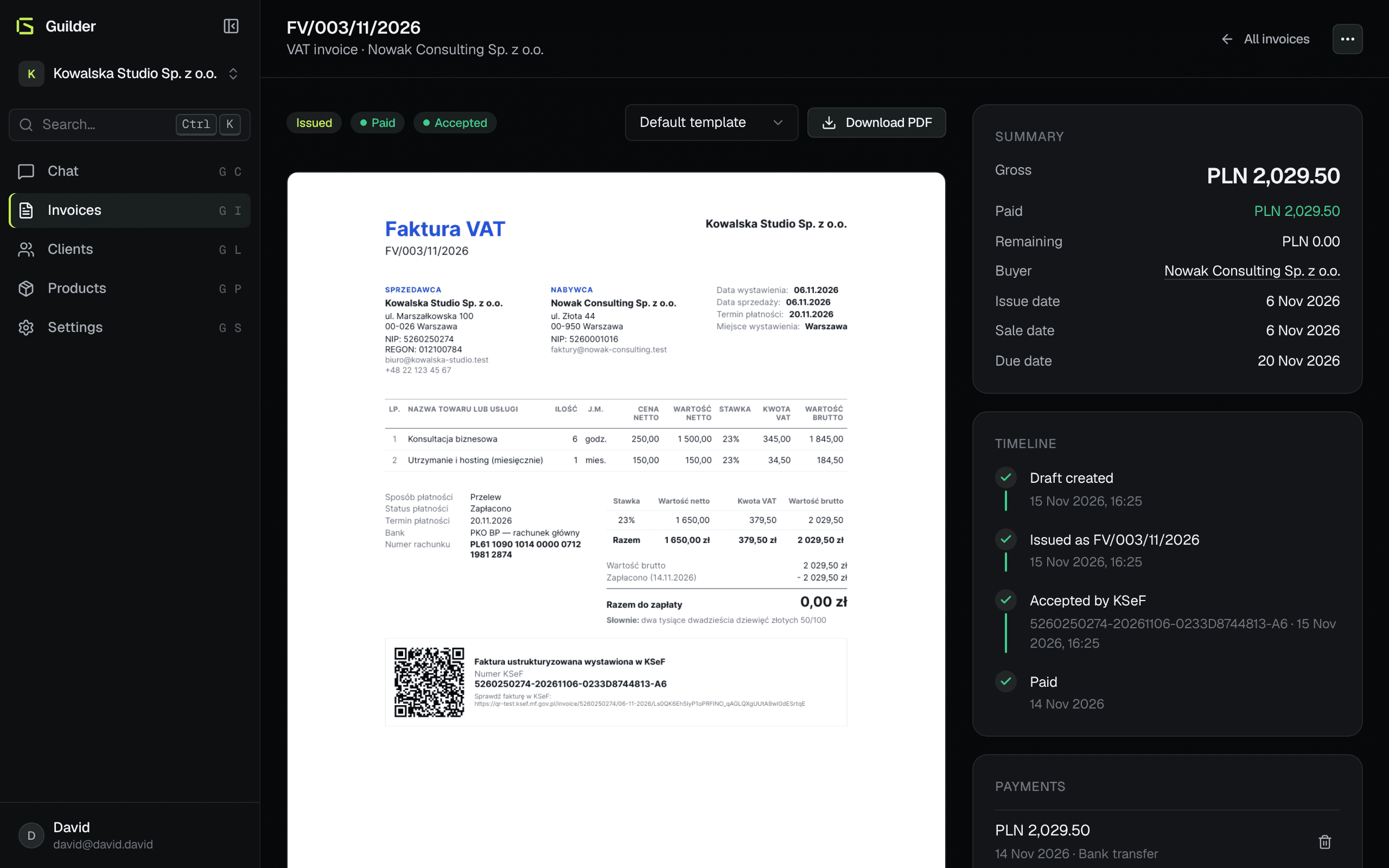
Steps
- Open Invoices and click an invoice.
- Check the "Invoice PDF preview" section.
- Optionally change the Template above the preview. Set the organization default in PDF templates.
- Click Download PDF.
- For many invoices, select rows in the list and use Download ZIP in the "Bulk actions" bar, if the feature is enabled on your server.
Tips
- A draft carries the watermark "SZKIC", a cancelled invoice "ANULOWANA".
- After KSeF accepts the invoice, the PDF includes the KSeF number and a QR code. It is the same document with an extra block.
- If the preview does not load, click Try again.
- Pass the PDF to the buyer only after issuing.
Related articles
- PDF templates, logo and accent colourChoose the PDF layout, logo, accent colour and font at Settings → Templates; the Free plan has the Minimal template, Pro unlocks Classic, Bold and Compact.
- Send an invoice to KSeF and get a KSeF numberSend an issued VAT invoice or correction with Send to KSeF on its page; once accepted it gets a KSeF number and a QR code on the PDF. It cannot be undone.
- Payments and overdue invoicesRecord a payment on the invoice page (More actions → Record payment) or click Mark as paid; when the due date passes, the status becomes Overdue.